
Choosing a website platform for your therapy practice can feel overwhelming. You’re probably trying to create an online space that feels safe, professional, and reflective of your work — all while navigating technical decisions. That path usually leads therapists to the same two well-known platforms, and the question:
Which is Better, Squarespace or WordPress?
As a web designer, this is probably the most asked question by my clients. The good news is, either of these options can technically work for a therapy website. They do, however, offer different experiences when it comes to ease of use, ongoing maintenance, SEO, and emotional bandwidth. So let’s break that down with some side-by-side comparisons, specifically for therapists, so you can choose the platform that best supports your practice.
❯ TL;DR (too long; didn’t read) - skip to the comparison chart. ❮
Your Website Goals as a Therapist
Before comparing platforms, it’s helpful to consider what you need most from a website. For therapists and mental health professionals, that often looks something like this:
A calm, trustworthy first impression
Clear service information without overwhelm
HIPAA-conscious design
SEO that attracts the right clients — not just more traffic
A system that doesn’t require constant tech troubleshooting
Squarespace for Therapists: Calm, Clear, and Contained
Squarespace is an all-in-one platform. This keeps things simple and streamlined — something many therapists appreciate when juggling client care with business responsibilities.
The Benefits of Squarespace for Therapists
Minimal Maintenance:
Hosting, security, and updates are handled for you, so there’s no plugin management or software version updates to keep track of.
Clean, Calming Design:
Free, built-in templates are polished and minimalist, which aligns well with health and wellness brands.
Easy Content Updates:
Blog posts, bios, and service pages are intuitive to edit without technical knowledge.
Built-in SEO Tools:
Simple controls for page titles, meta descriptions, and mobile optimization, with optional SEOSpace integration.
Easy Booking:
Works well with trusted scheduling tools such as SimplePractice, Jane App, and Therapy Appointment.
Potential Challenges to Consider with Squarespace
Limited Deep Customization for DIY’ers: Design flexibility is intentionally contained, which can feel restrictive if you’re not a web designer.
Less Flexibility for Complex Features: Memberships, advanced directories, or custom functionality may require workarounds or custom code.
For many therapists, Squarespace offers exactly what they need — clarity without complexity.
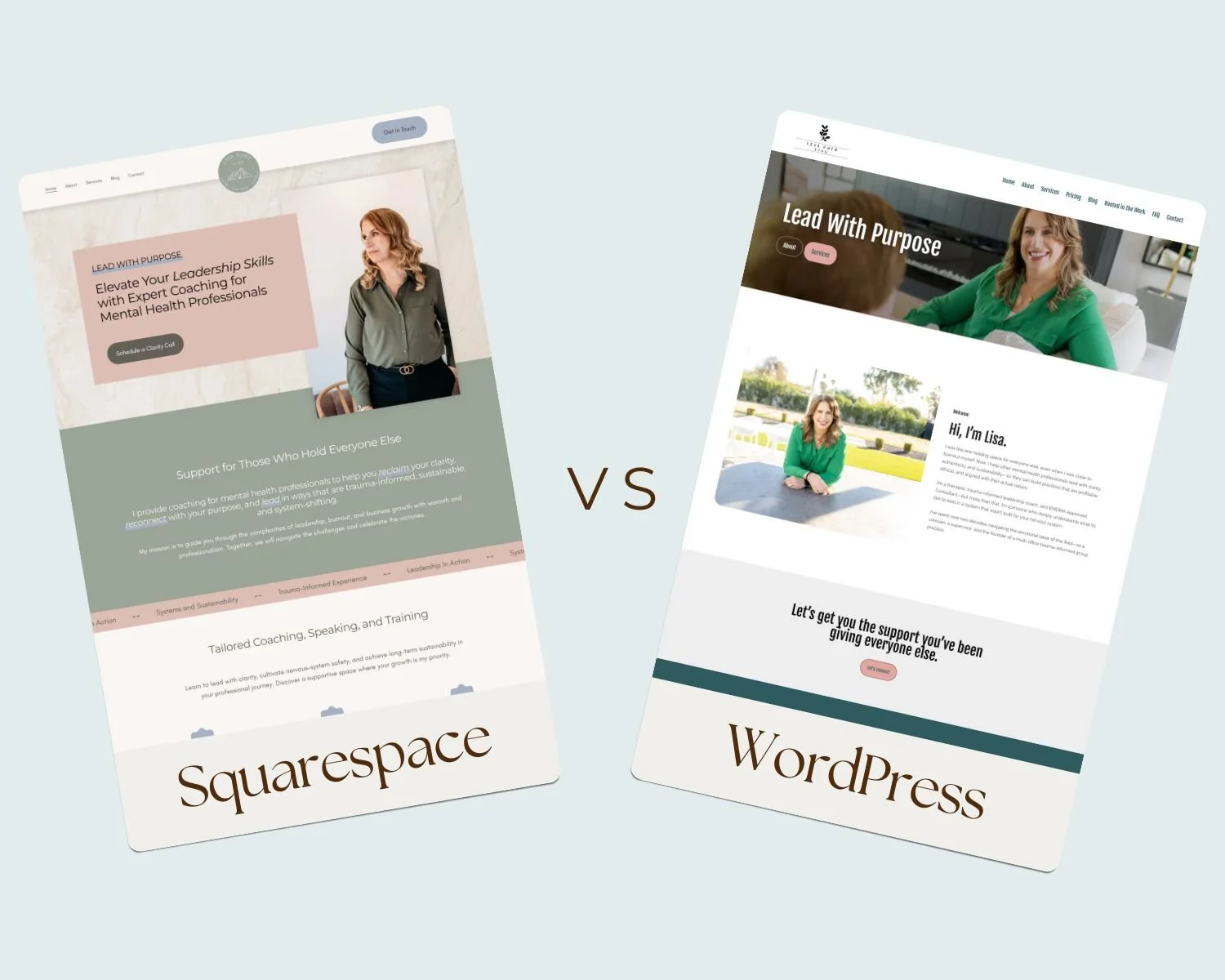
WordPress for Therapists: Flexible but More to Manage
WordPress is an open-source platform known for its flexibility and power. That freedom can be appealing, especially for practices with complex needs — but it also requires more hands-on management.
Benefits of WordPress
More Robust Blogging Capabilities: While Squarespace is great for blogging, this is where WordPress shines. Blogging is what WordPress was originally built for — offering more customization options than Squarespace via themes and plugins.
Powerful SEO Potential: Plugins allow for optimization, schema markup, and detailed performance control.
Extensive Integrations: As an open-source platform, there are thousands of themes and plugins out there, making it possible to add almost any feature imaginable.
Common WordPress Challenges for Therapy Practice Owners
Ongoing Maintenance: You’re responsible for your own hosting, security, backups, updates, and performance.
Plugin Dependence: Core features like SEO and security rely on third-party plugins that require monitoring. Some are free, many are paid, and all should be carefully researched to ensure they don’t cause your website to crash.
Risk of Conflicts: Plugin or theme updates can occasionally break site functionality.
Higher Support Needs: Many therapists will need ongoing tech support to keep things running smoothly.
WordPress can be a strong choice when supported by a developer or tech-savvy team, but for solo practitioners, it may feel like one more tech headache to manage.
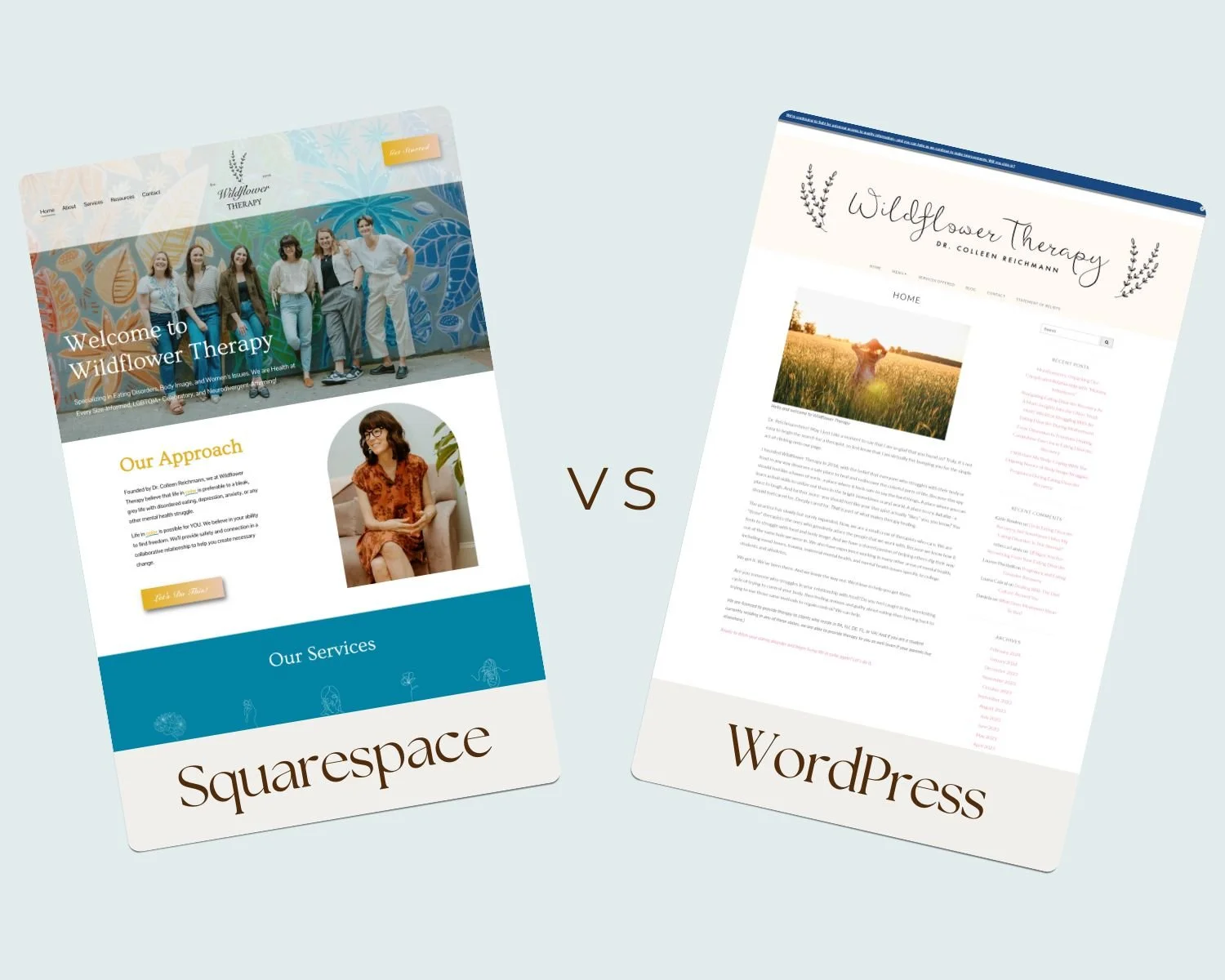
Cost Comparison: Squarespace vs. WordPress
Squarespace Costs
Squarespace subscription plans typically cost around $23/month
Hosting, SSL security, templates, and updates included
Predictable, all-in-one pricing
Design costs include free to DIY, $100-$300 to purchase a designer template, or read about hiring a professional web designer.
WordPress Costs
No subscription plan needed
Hosting will run you $10–$40/month
Premium themes can vary greatly, from free options with limited design and features, up into the thousands for custom designs
Paid plugins (a must for SEO, security, backups). Cost and quality can vary.
Not DIY-friendly, professional web design costs vary.
While WordPress can be inexpensive upfront, ongoing costs often exceed expectations.
SEO Comparison: What Actually Helps Therapists Get Found
Squarespace SEO
Built-in SEO at no additional cost
Clean code and fast-loading templates
Easy control over page titles and meta descriptions
Mobile-optimized by default
Structured content that supports local SEO
Optional advanced SEO via professional designer or SEO expert, or easy-to-install SEOSpace integration
WordPress SEO
No built-in SEO — requires plugins and technical configuration
Results may be template-dependent
Mobile optimization and structured content must be done manually but work great if set up properly
More room for error if SEO isn’t properly managed
For therapists focused on local SEO and sustainable visibility, Squarespace offers strong results without constant adjustments.
Squarespace vs. WordPress: A High-Level Overview
| Feature | Squarespace | WordPress |
|---|---|---|
| Ease of use | Very beginner-friendly | Steeper learning curve |
| Hosting | Included | Separate hosting required |
| Maintenance | Minimal | Ongoing updates & monitoring |
| Design | Built-in, polished templates | Fully customizable (with help) |
| SEO | Strong built-in tools | Powerful but plugin-dependent |
| Best for | Therapists who want simplicity | Therapists with dev support |
So… Which Platform Is Best for Your Therapy Practice?
If you’re tech savvy and don’t mind the frequent updates — WordPress may suit you. Just be sure to use reputable themes and plugins, and make maintenance a monthly priority so your website is always up-to-date.
If you want a website that feels calm and professional, is easy to update, supports SEO without constant maintenance, and lets you focus on client care — Squarespace is often the most supportive choice.
Over the years, I’ve had several therapists come to me asking for help moving their website from WordPress to Squarespace. Not because WordPress didn’t work — but because they wanted something easier to manage, simpler to update, and more supportive of their day-to-day workload.
If you’re feeling stuck with a DIY site, overwhelmed by tech decisions, or ready for a website that truly represents your work, I’d love to help.
Let’s book a call to discuss how we can create a website that feels authentic, inviting, and aligned with your practice.
Related Posts



You built your website to welcome the right clients — the ones searching for exactly the kind of support you offer. But here’s the thing: if Google doesn’t know your site exists, those potential clients may never find their way to you.